Understanding HTML Tags and Elements
What is HTML?
HTML (HyperText Markup Language) is the skeleton of a website.It doesn’t provide the color which is provided by CSS and interactivity which Js provides to a wesbite ,HTML provides the essential structure that holds everything together.
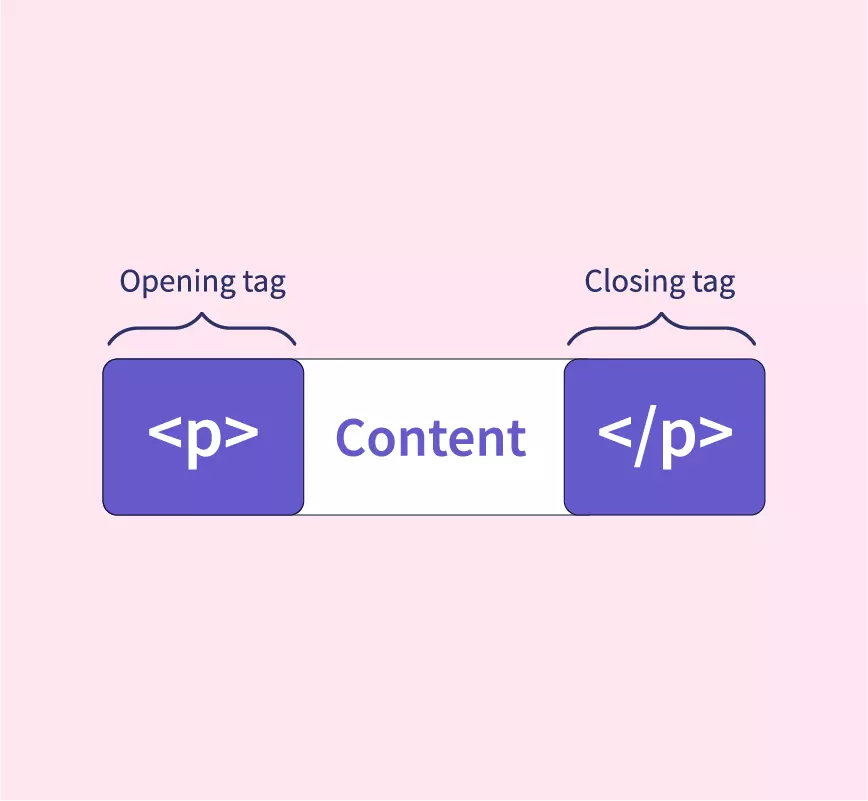
The easiest way to understand HTML is the Box Analogy. Every piece of content on a website is wrapped in an invisible box.
The Opening Tag “
<tag>” is like the front of the box.The Content is what we put inside the box.
The Closing Tag “
</tag>“ is like the back of the box, sealing it shut.
HTML tags
HTML tags are keywords enclosed in angle brackets “ < “ and “ > “ that indicate how content should be structured or displayed, forming the core of HTML syntax.
Opening tag: It starts with an element, e.g., “
“
Closing tag: It ends the element e.g., “
with a slash “ .Content: It just sits/fit between opening and closing tag (
This is first heading content
)<h1>Hi , i am inside the h1 tag </h1>
HTML Elements
An HTML element is the complete unit that is opening tag, content (text, nested elements, or attributes), and closing tag, representing building blocks like a paragraph ,heading or image container.
<h1> I am inside Heading Tag 1</h1>
<p>I am inside paragraph tag</p>
<div>This is a container</div>
Common Basic Tags
Headers:
<h1>to<h6>These are for titles and subtitles.
<h1>is the most important (the main heading), and<h6>is the smallest.<h1>This is a Big Title</h1> <h2>This is a Subheading 1</h2> <h3>This is a Subheading 2</h3>2. Paragraphs:
<p>This is for our standard blocks of text.
<p>This is a sentence inside a paragraph box.</p>Containers:
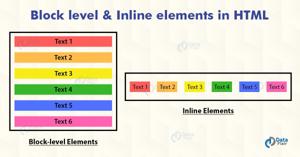
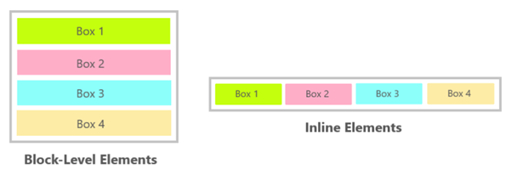
<div>Big Box:Used to group large sections of content together. It starts on a new line.
<span>(The Small Box): Used for small bits of text inside a sentence to style them specifically. It stays on the same line.<div> <h1>Welcome</h1> <p>This is a <span>highlighted</span> word inside a div.</p> </div>
Self-Closing Elements
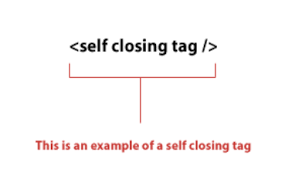
Self-closing (or void) elements don't need a closing tag because they don't wrap content; they end with a slash, like <img src="image.jpg" alt="Description" /> or <br />. Examples include <img>, <hr>, and <input>, used for images, line breaks, and form inputs.
    <img src="example.jpg" alt="Sample image">

    <!-- Line break -->
    <br>

    <!-- Horizontal rule -->
    <hr>

    <!-- Input field -->
    <input type="text" placeholder="Enter text">

    <!-- Link to stylesheet (in head typically) -->
    <link rel="stylesheet" href="styles.css">
Block Vs Inline Elements
Block-level elements, like “<div>” and <p> ,<nav>,<header> start on new lines and take full width, stacking vertically to form page sections.
Inline elements, like <span> and <a>, flow within text lines without breaking layout, used for styling words or links