A Beginner-Friendly Guide to Browser Internals
What happens after someone type a URL and press Enter ?
When we hit enter after typing the URL, the browser has an engine that grabs the url from the address bar .It first checks the memory(cache) for a quick reply if it doesn’t found the response the browser networking layer spring into action. It is like sending a courier to a warehouse(the server) which is very far way. The courier says , ‘Hey i want the files for yahoo.com’ .The warehouse upon getting this request packs three type of boxes and send them back to the client.
HTML: Skeleton (Blueprint)of the webpage
CSS : The paint and decorating samples
Javascript: The wiring and plumbing

Main parts of a browser :-
A Browser translate raw web files ( HTML ,CSS ,Javascript) into a picture that has behavior we see and click. They oragnize fetching data ,parsing it into trees ( DOM trees / CSSOM tree) ,computing layout and pianting layers.
Breakdown of what browser does :-
Fetching: Grabs HTML, CSS, and images from the web, like downloading ingredients for a recipe
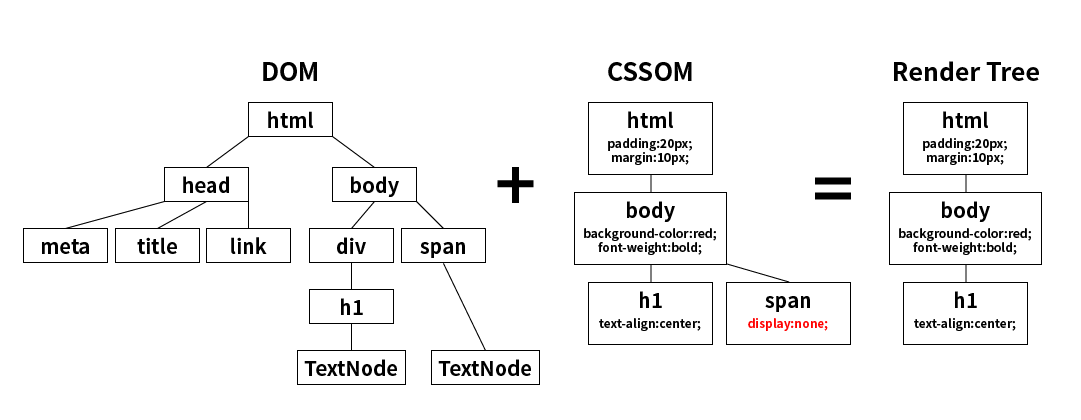
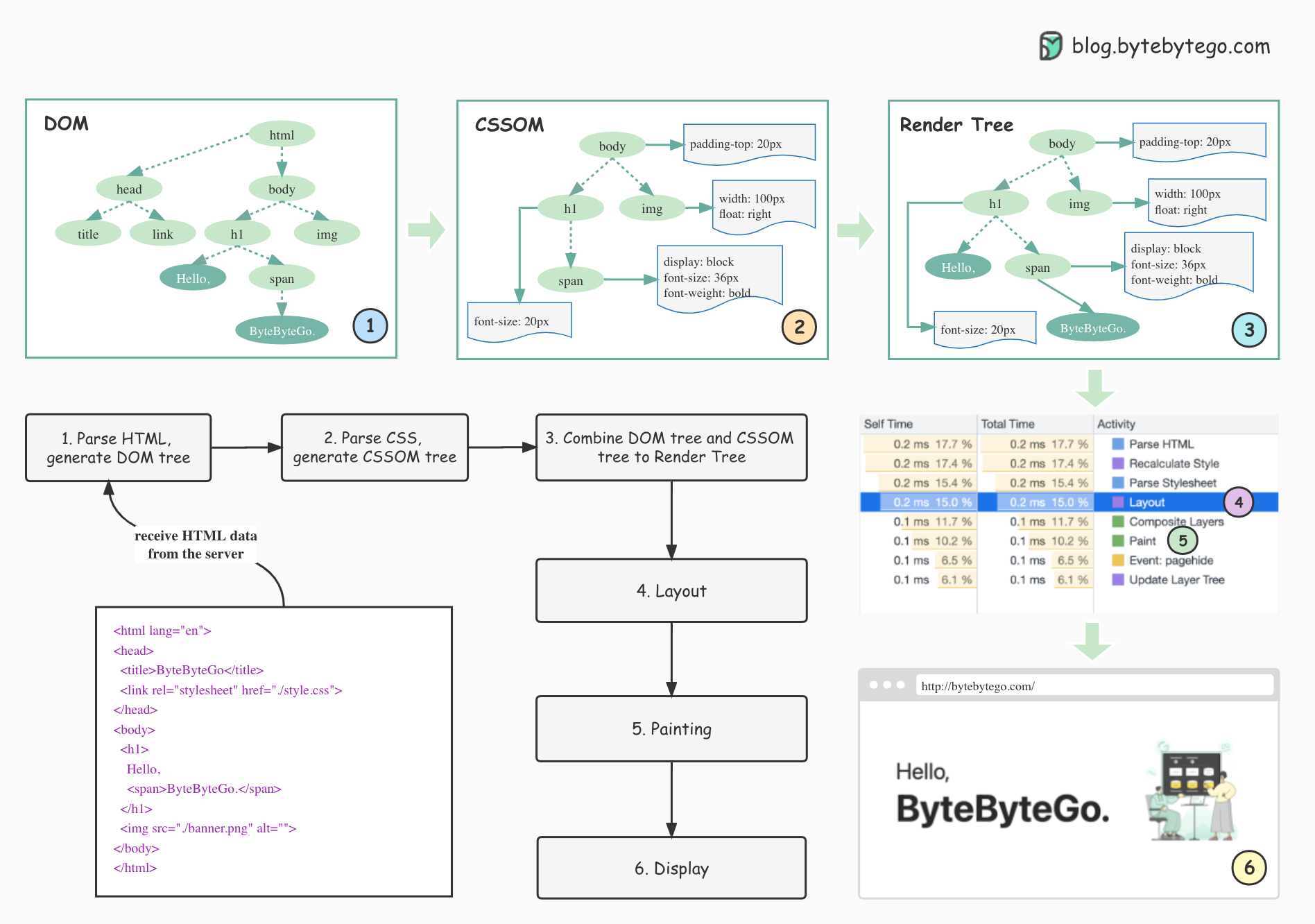
Parsing Trees: Breaks HTML into a DOM tree (page structure) and CSS into a CSSOM tree (styling rules), forming the blueprint.
Layout: It figures out exact positions and sizes for every element, like arranging furniture in a room.
Painting: It draws pixels onto screen layers for smooth visuals and animations.
Process Isolation: Runs UI, tabs, and plugins in isolated "sandboxes" to protect our system from malicious sites
Main Component :
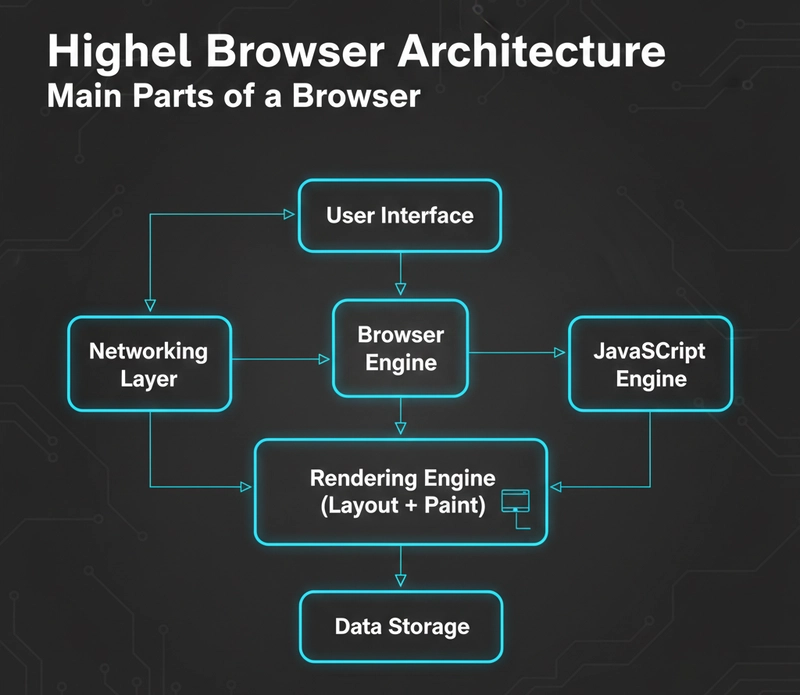
User Interface: It includes address bar for URLs, tabs for multiple pages, back/forward buttons, bookmarks, and refresh/stop controls.
Browser Engine: It is the manager. It coordinates actions between the UI and the Rendering Engine. When we click "Refresh button" the Browser Engine tells the other parts to get to work.
Rendering Engine: It is the artist . Its sole job is to display the content. If we use Chrome/Edge, this is Blink; if you use Safari, it’s WebKit; for Firefox, it’s Gecko.
Networking: Handles HTTP/HTTPS requests to fetch files
JavaScript Engine: Executes JS code (e.g. V8 in Chrome ,SpiderMonkey in Firefox)
Storage/Security: Manages cookies, cache, and sandboxing
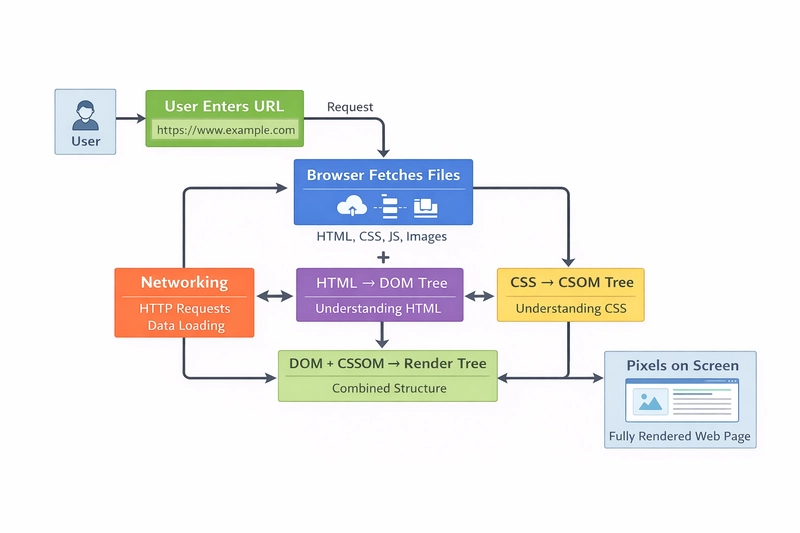
Networking: how a browser fetches HTML, CSS, JS
A Browser fetch HTML, CSS, and JS through a streamlined networking process starting with a URL input, resolving it via DNS, and sending HTTP requests over TCP connections.
Steps in the fecthing:
DNS Lookup: Converts domain (e.g., google.com , yahoo.com) to an IP address for server location
TCP Handshake: Establishes a reliable,secure connection with the server .
HTTP Request: Sends a GET request with headers (e.g., User-Agent, Accept) specifying HTML/CSS/JS needs; no body for GET is sent
Server Response: Returns status (e.g., 200 OK), headers (Content-Type: text/html), and resource body.
Resource Handling: Browser parses HTML firstly, then discovers and fetches linked CSS/JS in parallel via subsequent requests; caches for reuse.
HTML Parsing and DOM
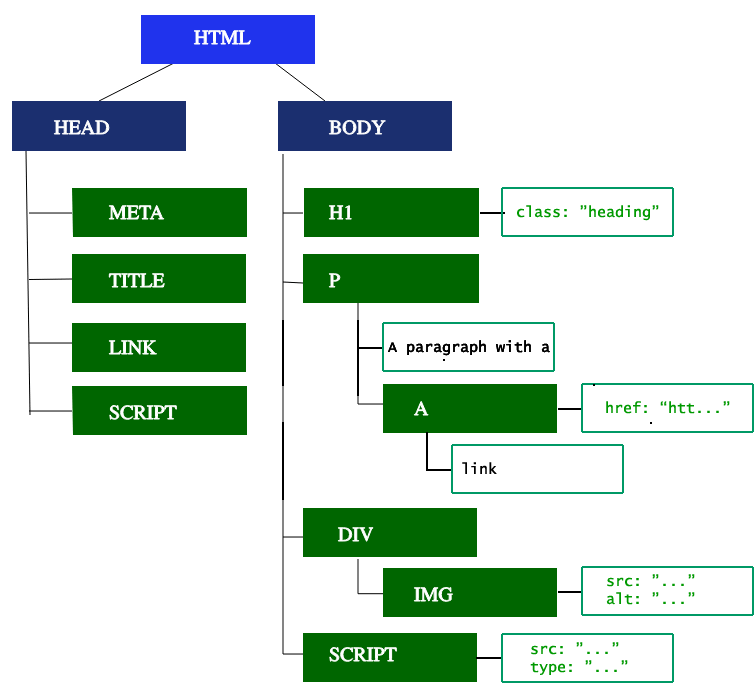
HTML is parsed token-by-token into the Document Object Model (DOM), a tree of nodes representing elements, attributes, and text.
CSS Parsing and CSSOM
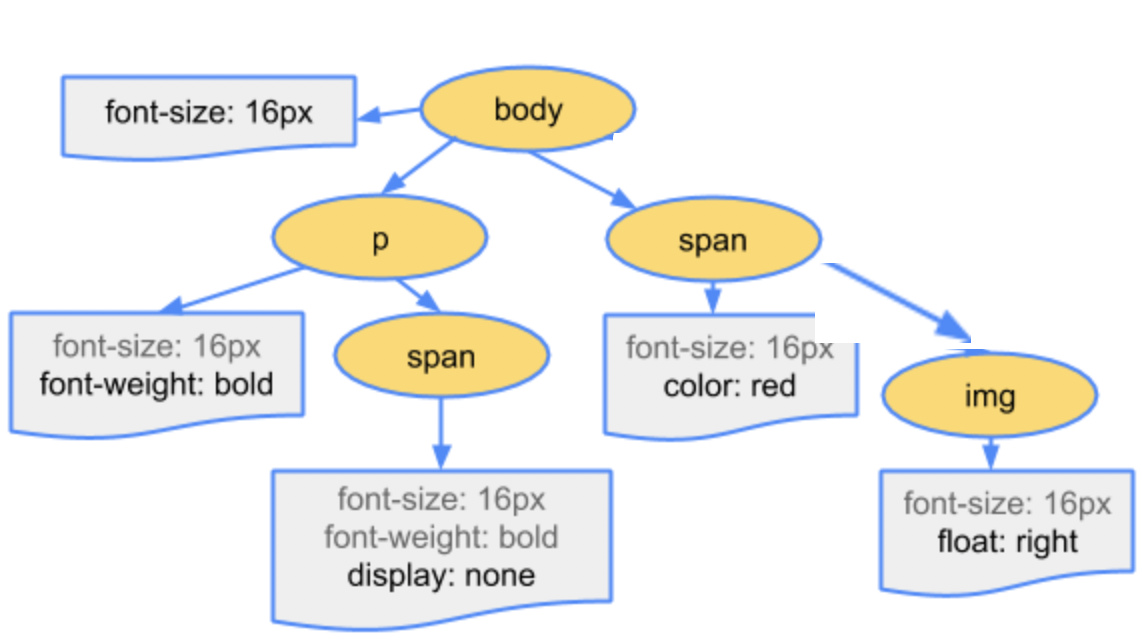
CSS rules are parsed into the CSS Object Model (CSSOM), a tree of style rules matched to DOM nodes by selectors. This enables computed styles per element in the browser.
DOM + CSSOM Merge
The browser combines DOM (content) and CSSOM (styles) into a render tree, filtering invisible elements (e.g., display : none ) and including only styled, visible nodes. This render tree drives layout (positioning) and paint (pixel rendering).